Record Internet TV and Streaming Video Automatically
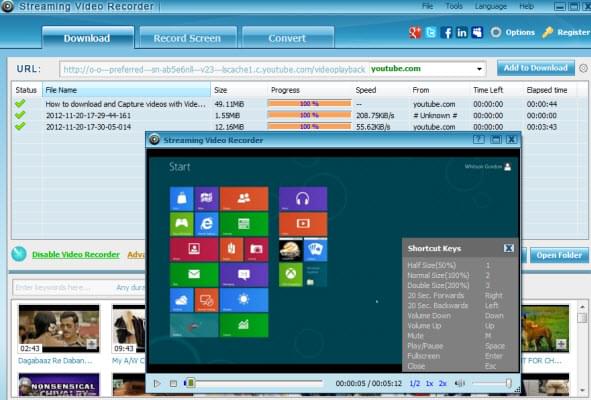
Streaming video recorder is the easiest way to record media video content. There is no need to copy and paste the URL manually. It adopts advanced technology to monitor your viewing. Just play a video you want to record and it will be auto-saved onto your personal computer. It even continues recording if you close the webpage.
Output the Recorded Video with Zero Quality Loss
Streaming Video Recorder supports to record Internet TV in its original video quality. You can get 1:1 video quality as you watch online.
Support Most Streaming Media Protocols and Formats
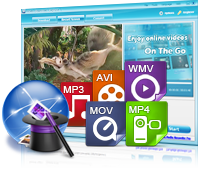
You can easily record video from all popular media protocols (HTTP, HTTPS, FTP, RTSP, RTMP and MMS). It supports recording various input file types (flv, swf, mp4, 3gp, asf, mpg, mov, rm, rmvb, wmv, avi, wma, wav, h264...)

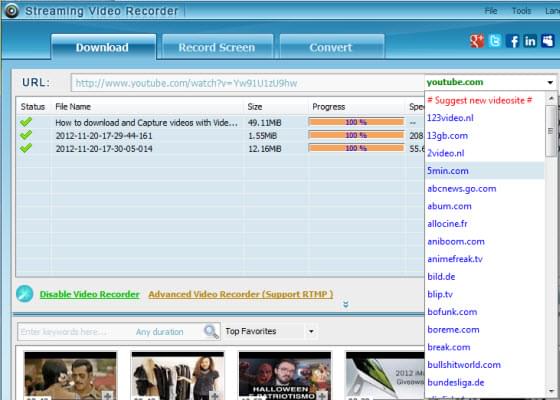
Record Streaming Videos from 1000+ Sites
This app offers the ability to record from Internet TV channels, social streaming video sites and all available online video sources. The covered sites or channels, mainly include Veoh, Vevo, Livestream, Metacafe, YouTube, PBS, TV4Play, Ustream, Hulu, among other sites.

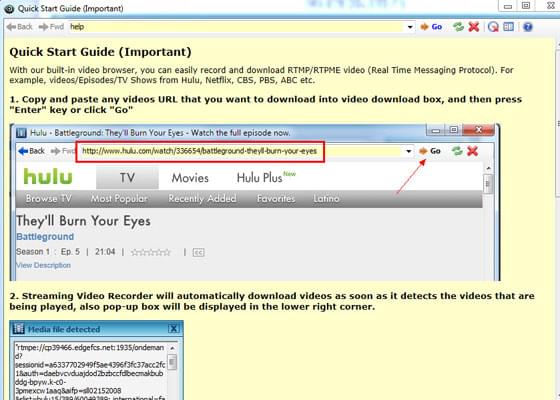
Record RTMP/RTMPE Videos
Its advanced video recorder allows you to record online TV shows, episodes, and movies from Hulu, Netflix, CBS, ABC, Ovguide, MySpace and many others.

Record Online Videos in Any Web Browser
The software is compatible with all web browsers (IE, Google Chrome, Safari, Firefox, Maxthon and Opera).
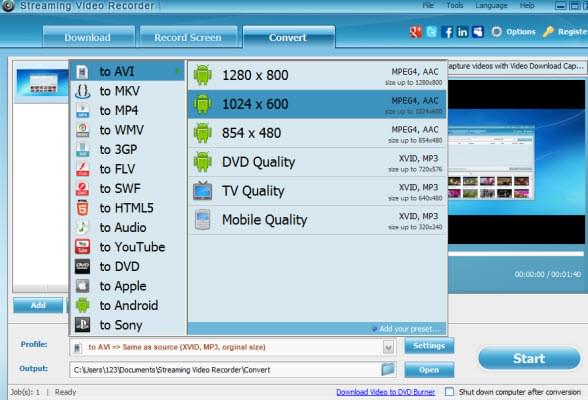
Convert to All Popular Video Formats
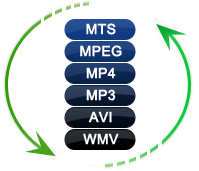
Streaming Video Recorder can convert both the recorded files and local video files to a wide range of video audio formats, including MP4, AVI, WMV, 3GP, VOB, MOV, MPG, MP3, WMA, etc.. You may choose the right file for your iPhone, iPod, Zune and some other formats.
Record Live Streams with Highest Quality
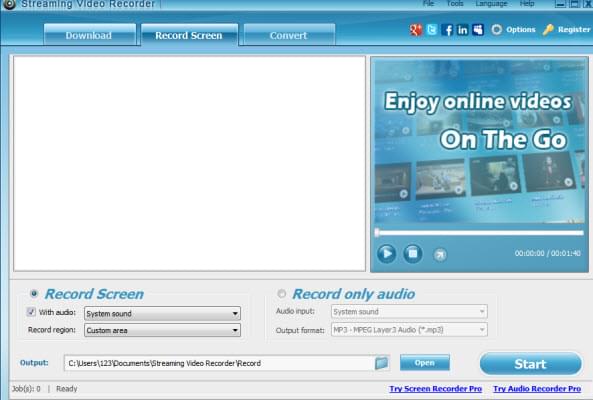
For some live video websites, such as BBC, CNN, Twitch TV, Livestream and many other TV services, it is amazing to record live streaming video with screen recorder function.
Easily Import Videos into iTunes
Once the conversion process is done, the tool provides direct iTunes connectivity.
Edit videos to Your Liking
It also boosts the options for merging videos into one, importing subtitle files, trimming or cropping video files and tuning special effects.
For getting more information about the improvements in this video downloader, you can refer to the changelog of Apowersoft Streaming Video Recorder.
Streaming Video Recorder V6.0.3 Released( 09/05/2016 )New
- Fixes the bug of failing to download some videos from YouTube.
Streaming Video Recorder V6.0.0 Released( 08/05/2016 )
- Adds the button of directly recording audio file
- Adds Task List
- Adds Task Schedule
- Improves the interface
- Improves the record process
- Improves the functions of Screen Recorder and Video Converter
- Improves the detect function
- Modifies the account fucntion
- Improves the playlist recording
- Adds Library
- Improves the record process
- Fixes other bugs
Streaming Video Recorder V4.6.5 Released( 10/21/2013 )
- Optimized download function for users to download videos streamed through MMS and RTSP protocols
- Supported downloading entire playlist on YouTube, VEVO, etc in a single click
- Added "Add batch URLs" feature for users to add several URLs for downloading at a time
- Improved the built-in Audio Editor
- Fixed the bug that software sometimes failed to convert trimmed videos
- Various bugs fixed
Streaming Video Recorder V4.2.0 Released( 11/21/2012 )
- Improved the recording quality
- Provided much better support for windows 7 and windows 8
- Offered the solution while presenting the error message "Failed to setup muxer error"
- Fixed the bug: unable to download YouTube mp4 videos occasionally
Streaming Video Recorder V4.1.9 Released( 11/21/2012 )
- Fix the bug: it outputs videos with no sound when recording screen.
Streaming Video Recorder V4.1.8 Released( 11/13/2012 )
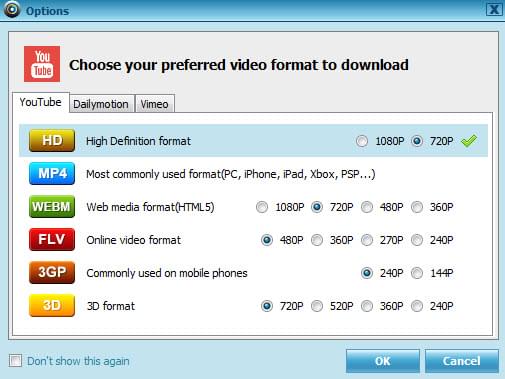
- Added functionality of downloading videos from YouTube, Vimeo and Dailymotion in your preferred formats.
- Minor bugs fixed
Streaming Video Recorder V4.1.7 Released( 10/25/2012 )
- Fixed various bugs
Streaming Video Recorder V4.1.5 Released( Sep 07, 2012 )
- Support Windows 8 operating system
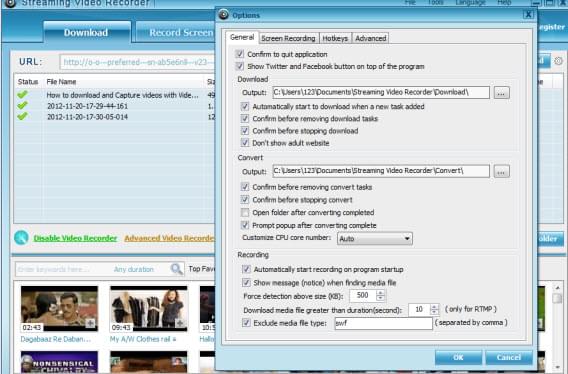
- Added HotKey tab under Options, the improved shortcut keys and the boss key enable you control this program easier
- Support to make audio settings in Screen Recording tab
- Added the function of presetting the resolution when customize the recording region
- Fixed various bugs
Streaming Video Recorder V4.1.3 Released( July 18, 2012 )
- Fixed the bug: the MKV video with multi-vorbis turns to have no voice after converting to other formats
- Add the icon of Clear IE Cache and View IE Cache in the built-in browser of Advanced Video Recorder. It clears IE Cache so that you can play and capture RTMP video normally. And it allows you to view videos or music files right inside IE Cache.
Streaming Video Recorder V4.1.2 Released( July 03, 2012 )
- Added Rename function in the download list, you can rename the downloaded video files to match your desired name.
- Support deleting the video files from disk directly via the interface.
- The downloaded videos or downloading tasks will remain in the download list before deleting it manually.
- You can modify the user interface whether display full screen or drag its size at will.
Streaming Video Recorder V4.0.3 Released( May 12, 2012 )
- Fixed bug with downloading videos from youtube.com, 5min.com, blip.tv
- Fixed unreadable text while installing with Non-English language on English Windows
- Added support for youtu.be
- Added Portuguese-Brazil translation
- Added Turkish translation
- Various small improvements
Customer Testimonials
-
Fantastic, nearly spare no effort to record any online videos with this smart app. I really appreciate a unique benefit – Advanced Video Recorder.
---Arnold from UK
-
I tried Apowersoft Streaming Video Recorder a few days ago and it worked smoothly to record Hulu videos. To be honesty, I am not that much of internet reader, but this tool works its magic for me.
---Betty from US
Online Help

Sometimes, the questions have already been answered before you ask them! Please view the most frequently asked questions to clear away your puzzles.
Visit Our Online Help
Community Forum

Propose your questions and concerns here, and discuss them with many other experienced and enthusiastic users and our technical staff. We are very glad to hear your voice.
Visit Our Community