Record Streaming Music

$29.95

Streaming Music Recorder Record streaming music, record any sounds you hear

Streaming Music Recorder is an ingenious method to record high quality music, web radio programs, a voice chat on Skype, MSN or yahoo messenger conversation etc as well as record any other sounds from internet resources.

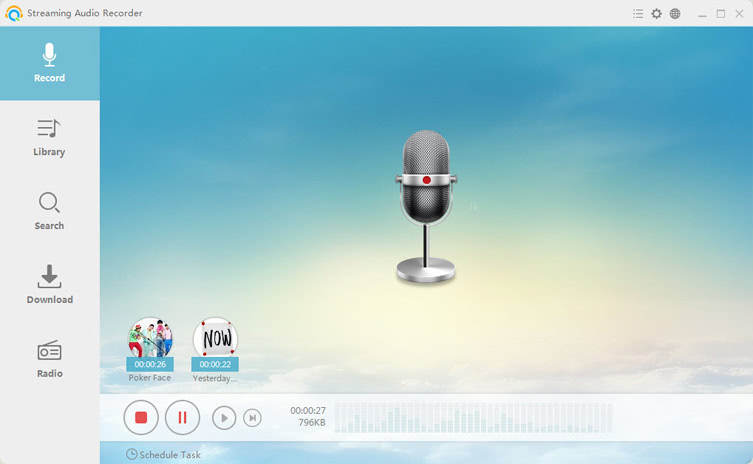
The program is very simple to use and in a few minutes, everything you hear can be recorded directly as preset audio formats such as mp3, aac, wav, wma, ogg and more.

Overview Why Choose It Screen Shots What's New Tips
Key Features

Record Streaming music from various audio streaming sites

Streaming Music Recorder supports recording streaming music from tons of popular online websites like Pandora, MySpace, napster, AOL music, iTunes, Shoutcast and spotify etc. It actually works well with these famous sites, only a few steps you can make it.

Record Streaming audio from internet broadcasts

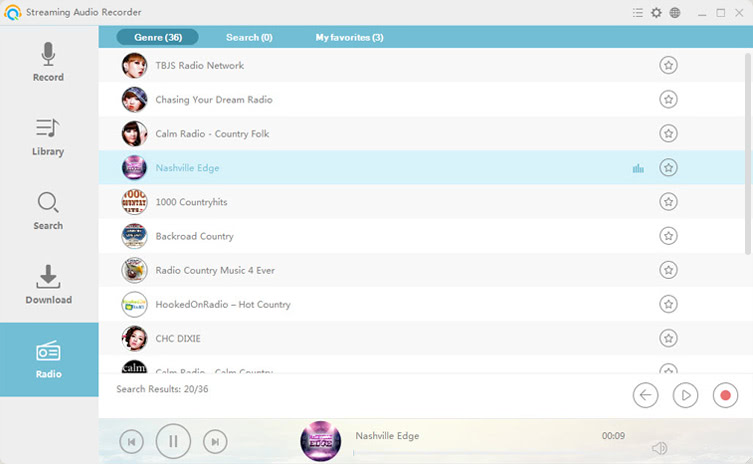
Record any streaming audio broadcasts you like. Just select to listen to radio or music while you recording streaming music or radio from web broadcast.

Record sound from microphone

Sometimes you might need to record your own voice and singing. You should speak with your microphone and use Streaming Music Recorder. Your voice can be auto-grabbed once start recording.

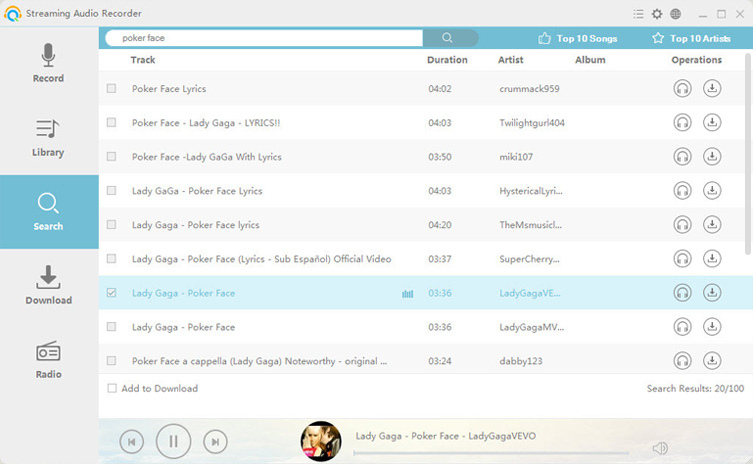
Download tons of music from online resources

With its built-in music search engine, thousands of free and legal songs from available online sources are ready for downloading. It is a neat way to search and download music.

Burn music to an audio CD

Streaming Music Recorder also features a CD burner that can burn mp3, wav, wma, ogg and other audio files to CD for playback on car CD player anytime anywhere.

Ripping CDs

This CD music ripper extracts sound tracks from CDs to computer, which also makes it possible to transfer music to iPod, PSP or other mobile phones. It can rip multiple pieces of music at a time.

Edit files

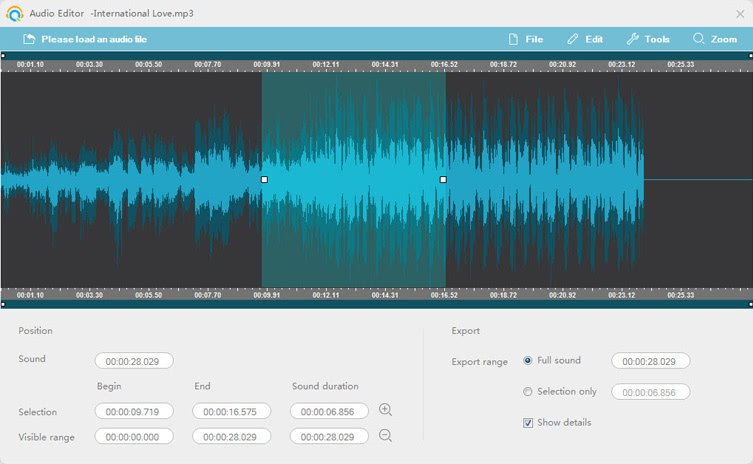
Streaming Music Recorder is designed for editing music recordings. Audio editor functions mainly includes cutting, copying, pasting, deleting, mixing, inserting and adding some audio effects like silence deletion and amplification.

Tag music recordings yourself

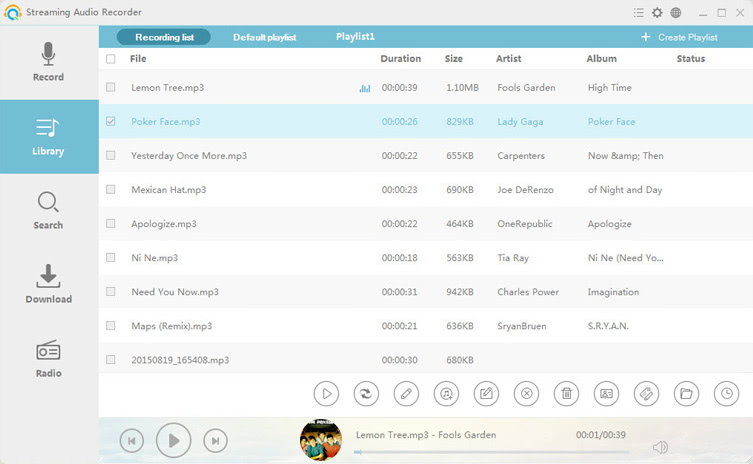
Write detailed information of music like artist, genre, year, title, music track as soon as finish recording streaming music by applying its ID3 Tag Editor.

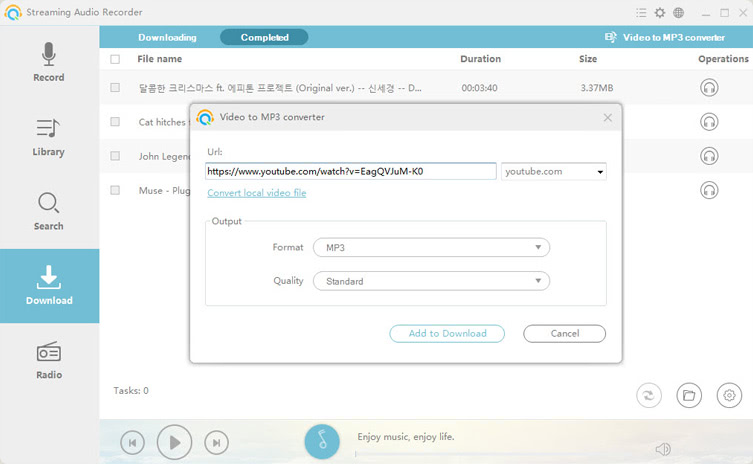
Flexible audio conversion

Convert audio from one format to another including convert mp3 to wav, wma, ogg, aac, or vice versa. Anyway, convert between all popular audio formats.


Main Reasons for using Streaming Music Recorder
  • What you hear is what you can record – Advanced music recording software
  • A smart way to record streaming audio directly as mp3, wav, wma, ogg, aac
  • Quick and easy to install and use the program
  • Music editor will fresh up recordings and achieve your desired audio effects
  • Convert music to any right formats for portable audio players
  • Support burning your own music CD
  • Search for thousands of songs in split second
  • Guaranteed to be secure, green, non-plug-in, virus-free and no spyware
  • 100% free and legal
Top 5 Online Music Websites
  • Pandora: This music website enables you to stream millions of songs and makes your own music playlists.
  • Rhapsody: Unlimited music tracks are ready to play instantly.
  • Spotify: This large music library is a good place for you stream music and get music subscription.
  • Grooveshark: You are able to discover, share and listen to music from this amazing site.
  • Deezer: A free streaming music website that is available for users worldwide.

You can Click Pictures to Enlarge


Streaming Music Recorder V2.4.0 Released on Aug 1, 2011

1. Record streaming music from internet you like

2. Create ringtones from recording playlists for your iPhone

3. Keep you up to date with all of the latest music information worldwide.

4. Easy-to-use CD burner and CD ripper

Directions to record streaming music
  • Install and launch the program
  • Make necessary settings: set output format and target folder
  • Play music and then click “On” to start recording streaming music
Tips

1. Other main functions like editor, CD burner, converter, CD ripper and ID3 Tag can be found from “Tools” icon on the top right corner of interface.

2. You may select both “speaker” and “Microphone” as input audio source.

3. Minimize the noise to get good quality recordings.

News
Editor's Review
Safe, Trusted and clean software to help you record, download , convert Streaming video, tv, music for your digital devices."

www.downloadplex.com

Company Awards
Join Our Newsletter
Subscribe to Our Newsletter (tips, new releases, specials),Privacy Guaranteed!
More Resource
© 2008 - 2012 Apowersoft All Rights Reserved. Privacy Policy